Course Project
Usability Testing
At the beginning of this course, students were asked to choose an online shopping site that would be large enough to support the assignments that we would be doing. I chose to use the Loblaws online grocery shopping site, www.loblaws.ca, as the basis for the assignments in this course.
This page contains a quick overview of some of the tasks/assignments that I had to complete during the course.
Test Scenario and Tasks
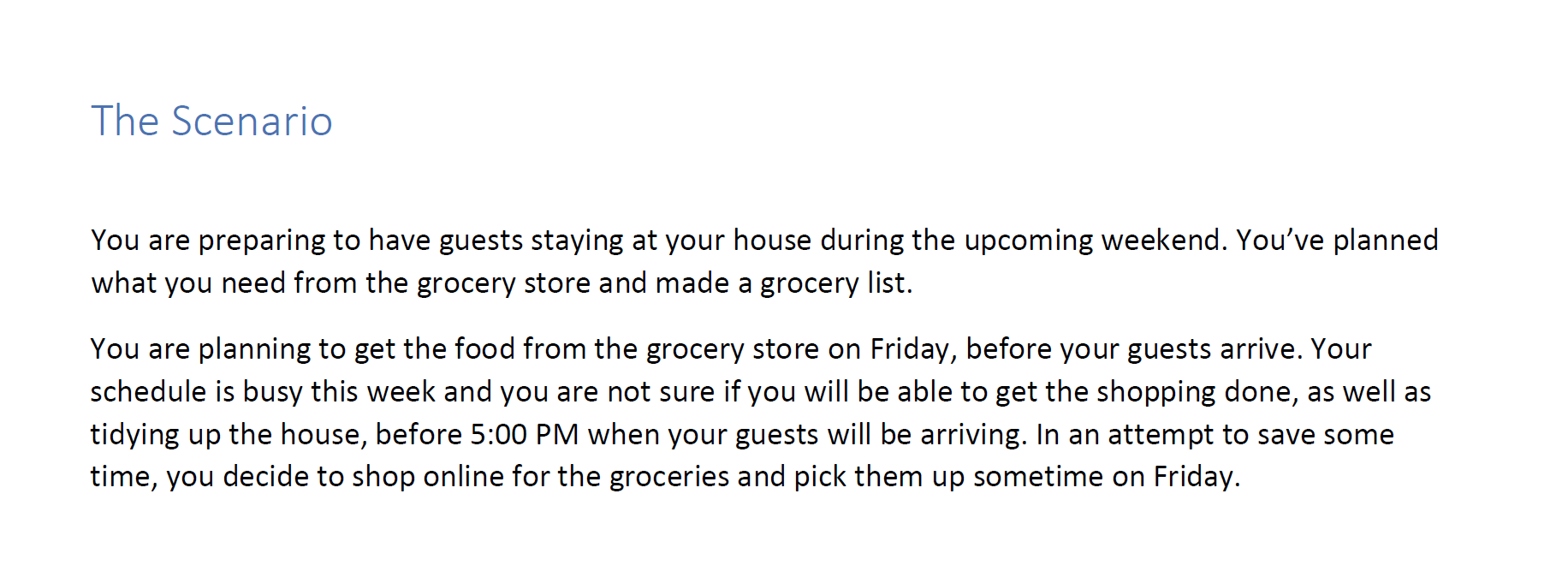
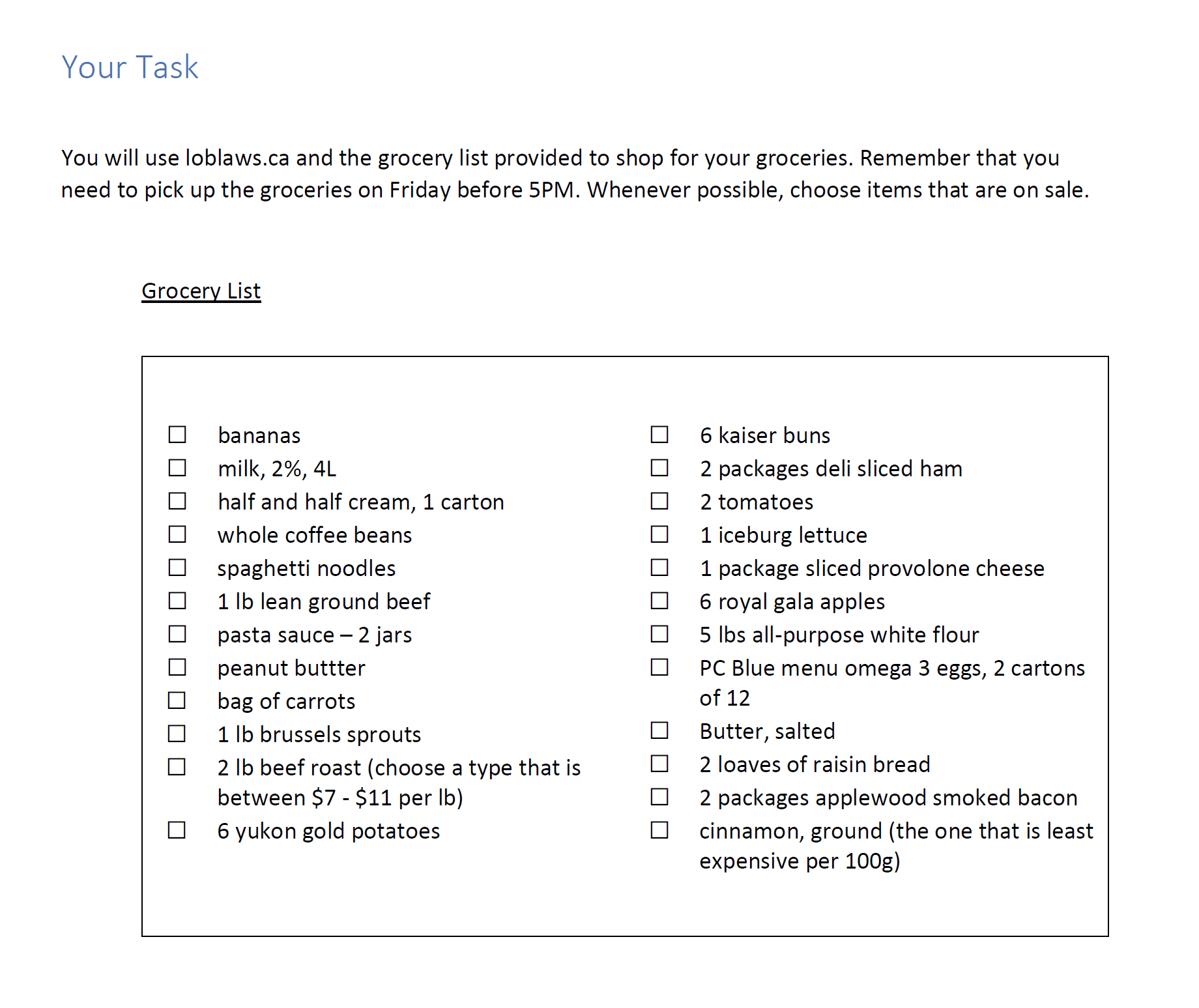
After creating a Test Plan, I had to create the scenario and set of tasks that the participants would use during the session.
Usability Test
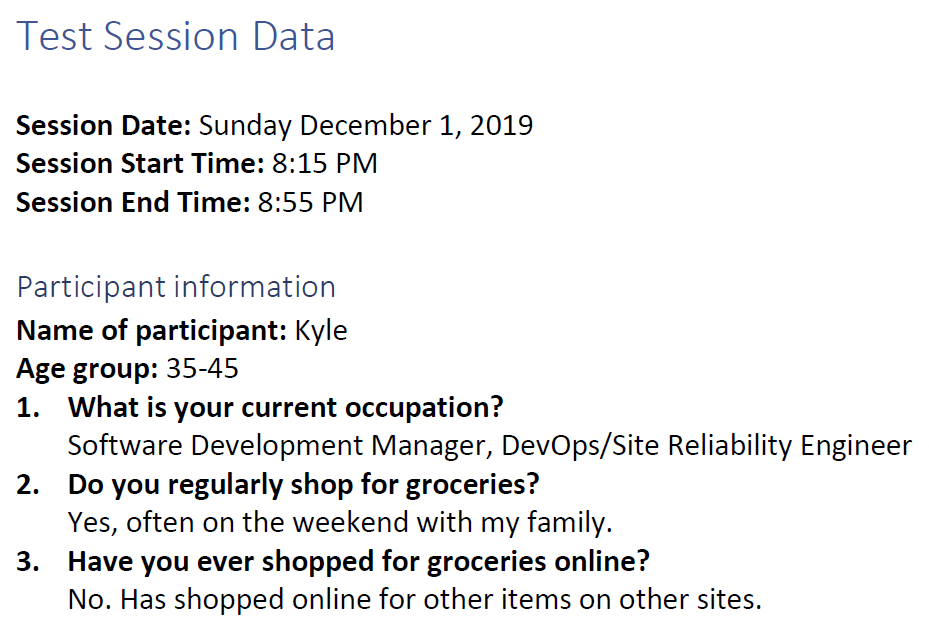
I conducted the usability test with one participant and recorded my findings. At the start of the test, I took note of some session and participant information.
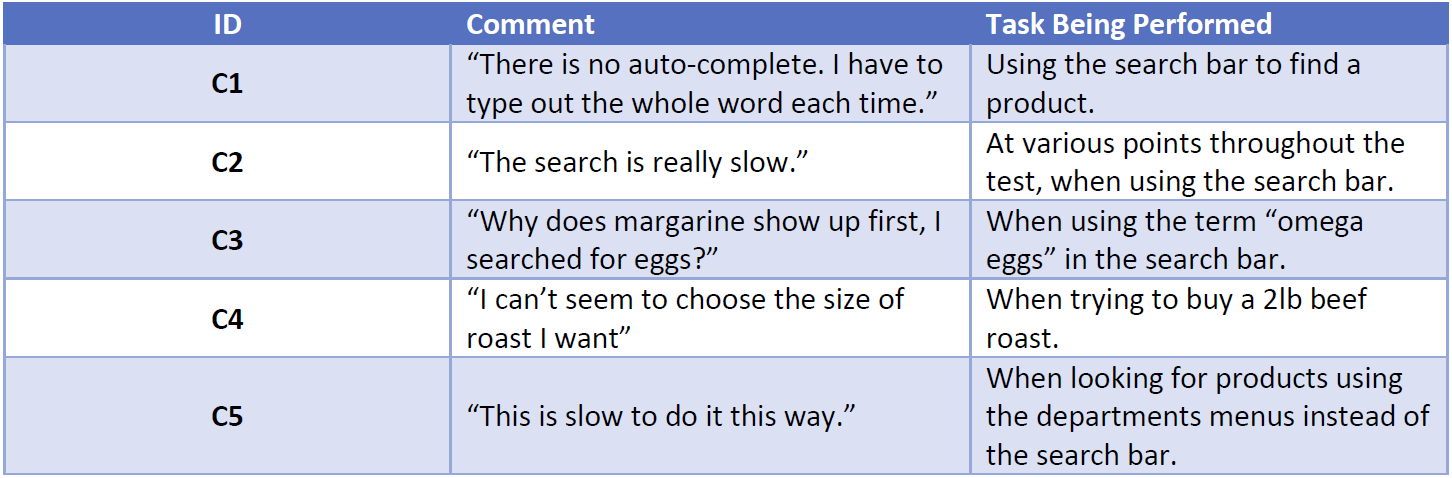
During the test, participant comments were noted along with the task they were performing:
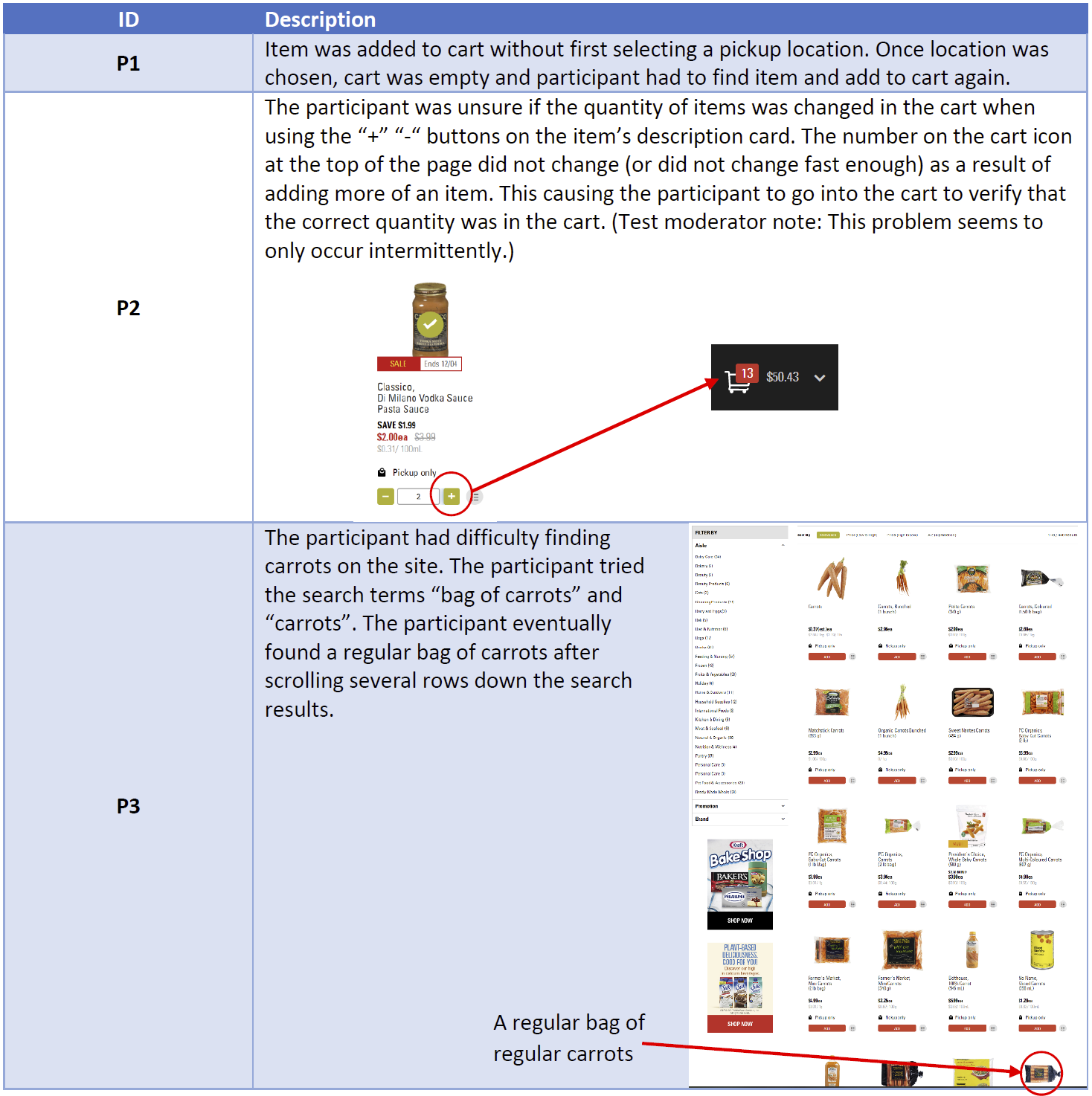
I also kept track of any problems that the participant encountered. Here's some of the results:
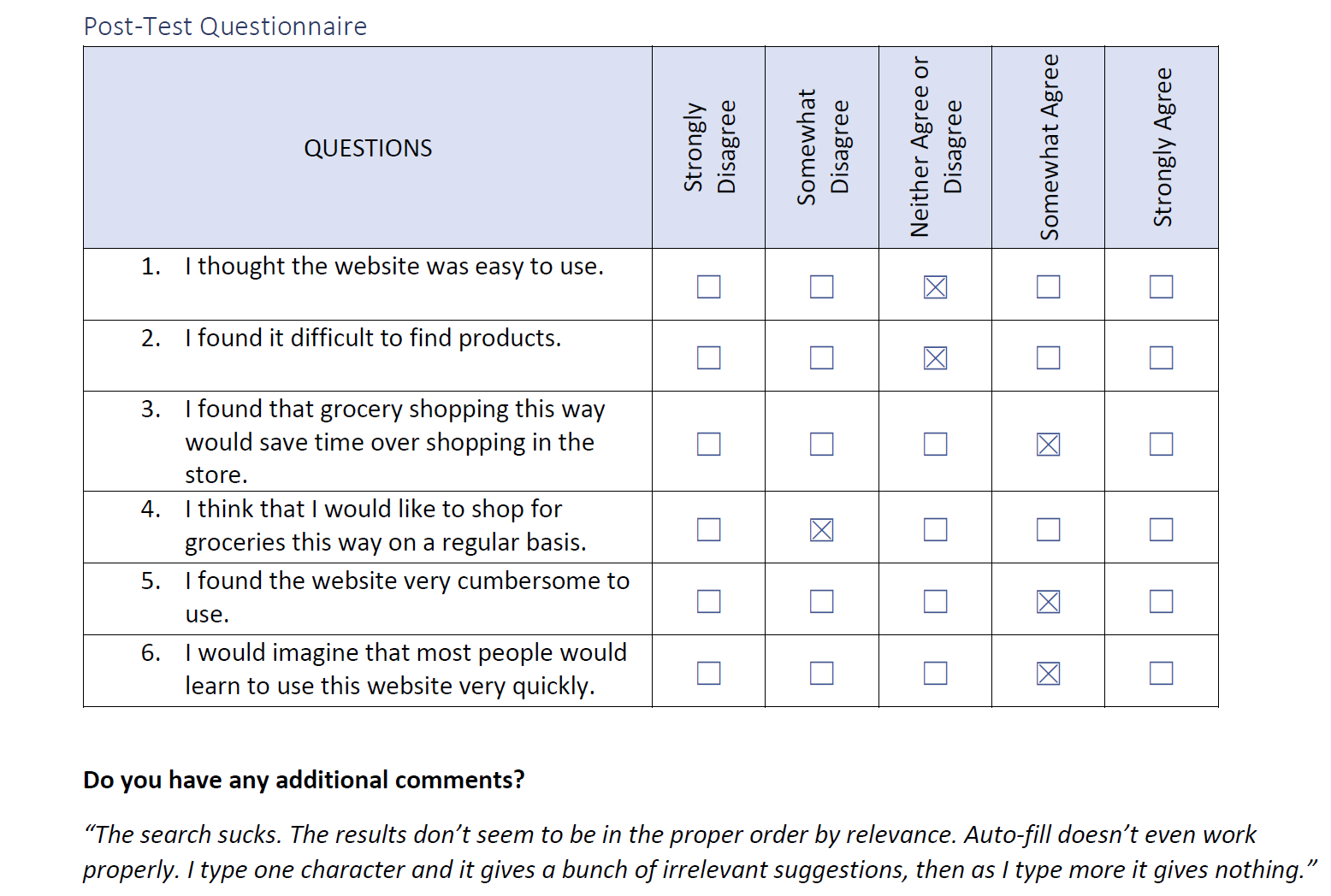
At the end of the session, I administered a post-test questionnaire and provided the participant with the opportunity to provide additional feedback:
Findings and recommendations
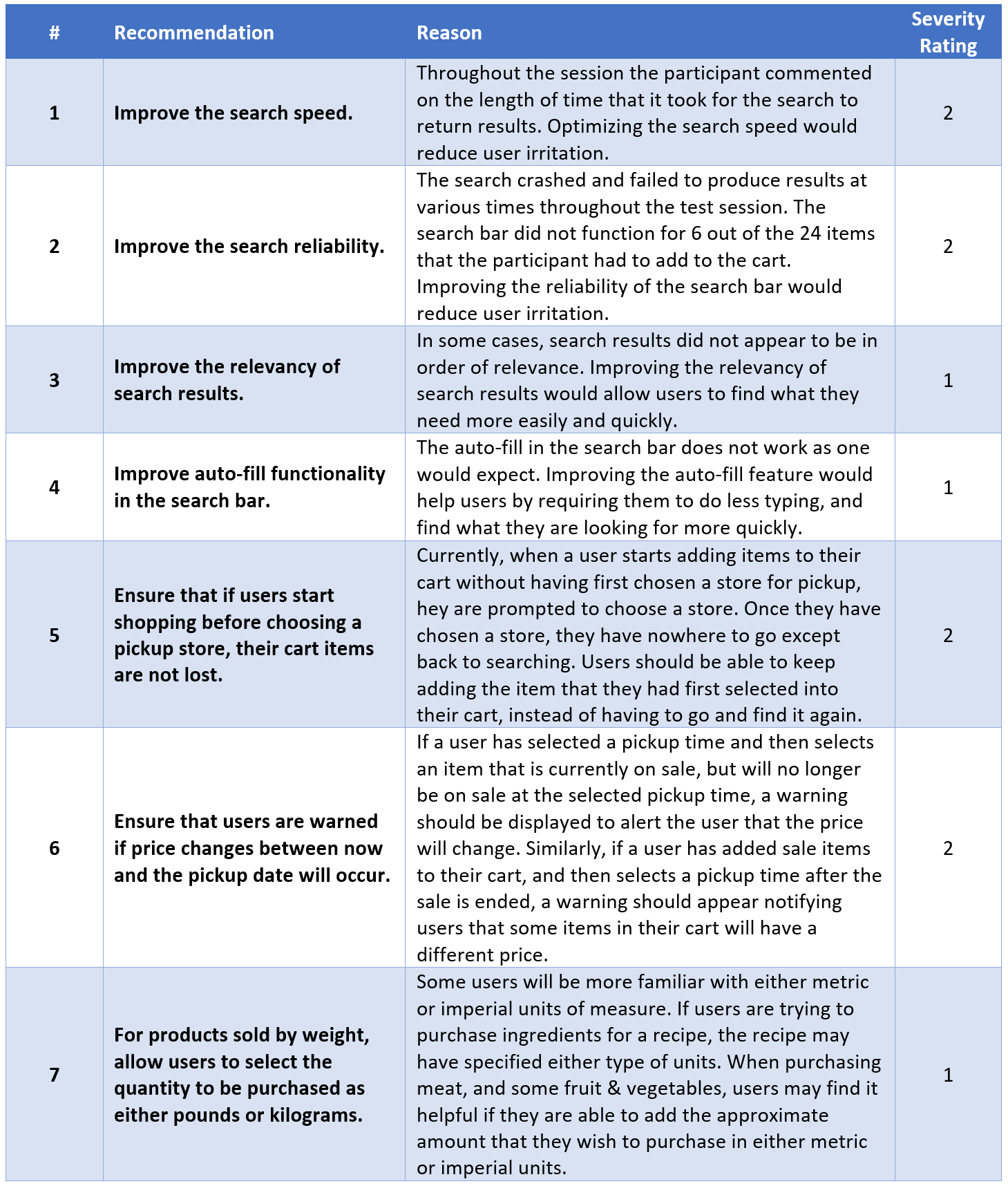
Overall, the participant thought the site would be easy for a first-time shopper to use. The participant also believed that shopping for groceries on this site may save time over in-store grocery shopping. Some areas of the site could be improved, particularly the search functionality. The participant encountered problems during the test, however, was able to complete all of the tasks in 28 minutes.
I organized my recommendations for improvement, along with a severity rating (1=lowest severity, 3=highest severity), in a table format: