Course Project | Web and Mobile Design Techniques
The Unicorn Emporium
For this project, I had to create a fictional online business. Next, I had to create a persona, and a scenario where that persona would find an item to buy and complete a purchase. Based on the scenario, I then had to create a task flow diagram. Next, I had to create a high-fidelity prototype of both the desktop and mobile versions of the website. I created the prototypes using Adobe XD. Finally, I had to submit a design rationale for each screen of the prototypes that I designed.
Skills & Technologies
- UX
- Persona
- Scenario
- Task Flow
- Adobe XD
- Visual Design
- Responsive Design
Persona & Scenario
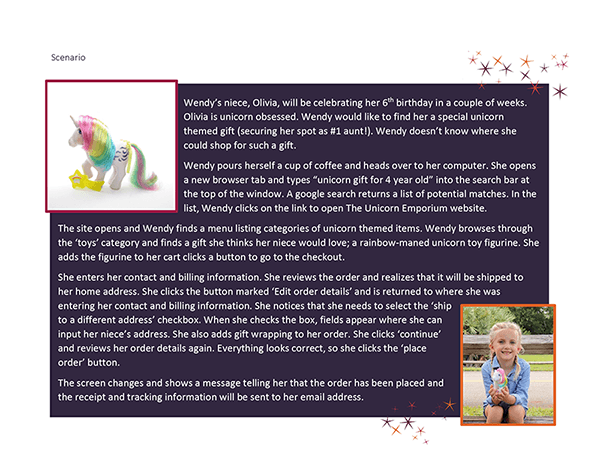
I created a user persona named Wendy and then wrote a corresponding scenario. In the scenario, Wendy needs to buy a unicorn toy for her niece, Olivia, and have it shipped in time for Olivia's 6th birthday.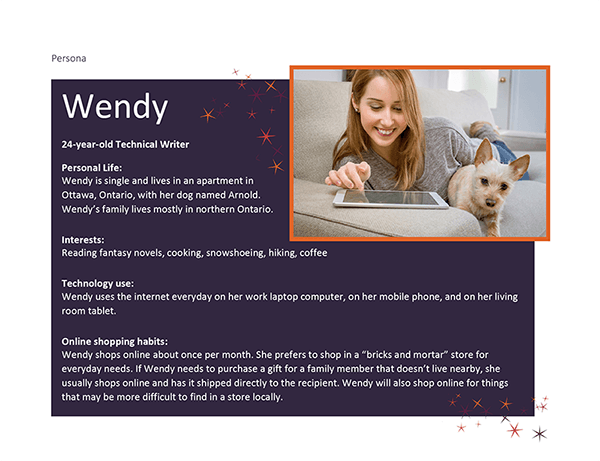
Task Flow
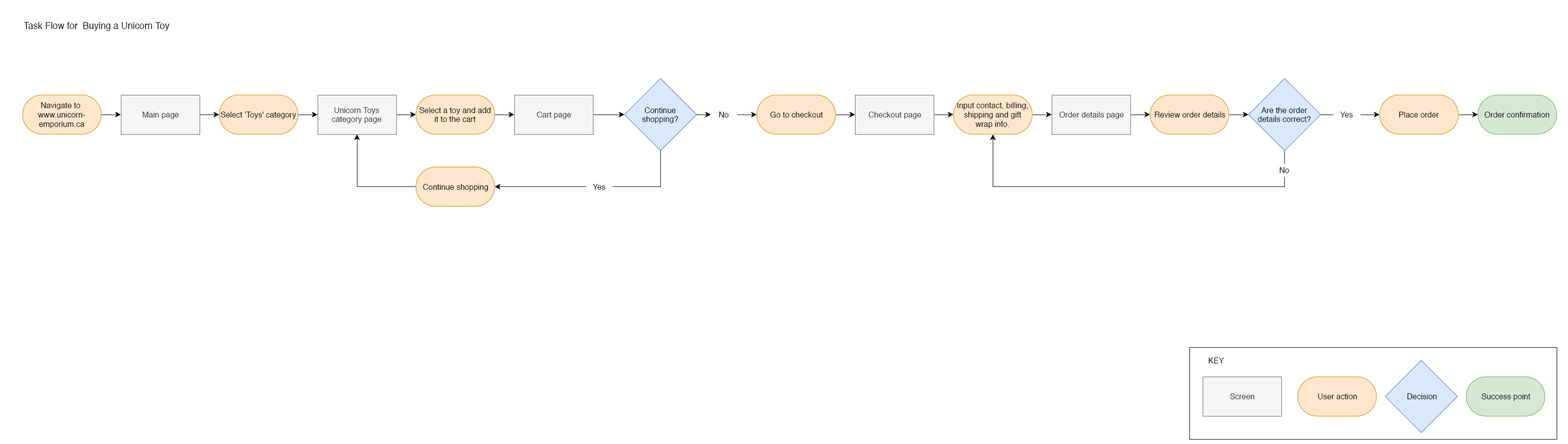
Based on the scenario, I created a user task flow for buying a toy on the Unicorn Emporium website.
High-fidelity Prototype - Desktop Version
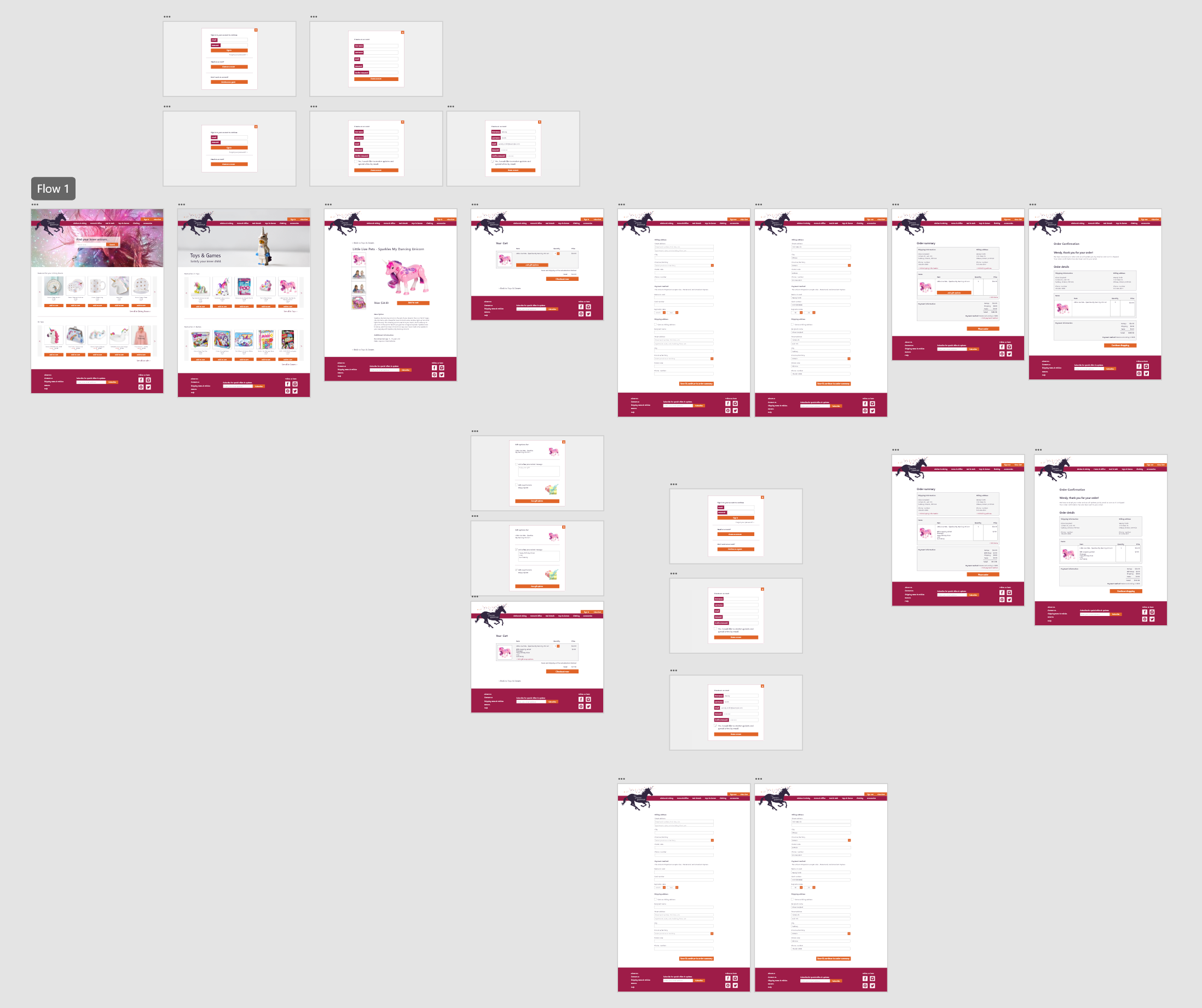
Using Adobe XD, I designed a high-fidelity prototype. In addition to designing the layout of the pages, I added interactions so that clicking through the website prototype would simulate completing the scenario that I had developed earlier on.See it live on xd.adobe.com
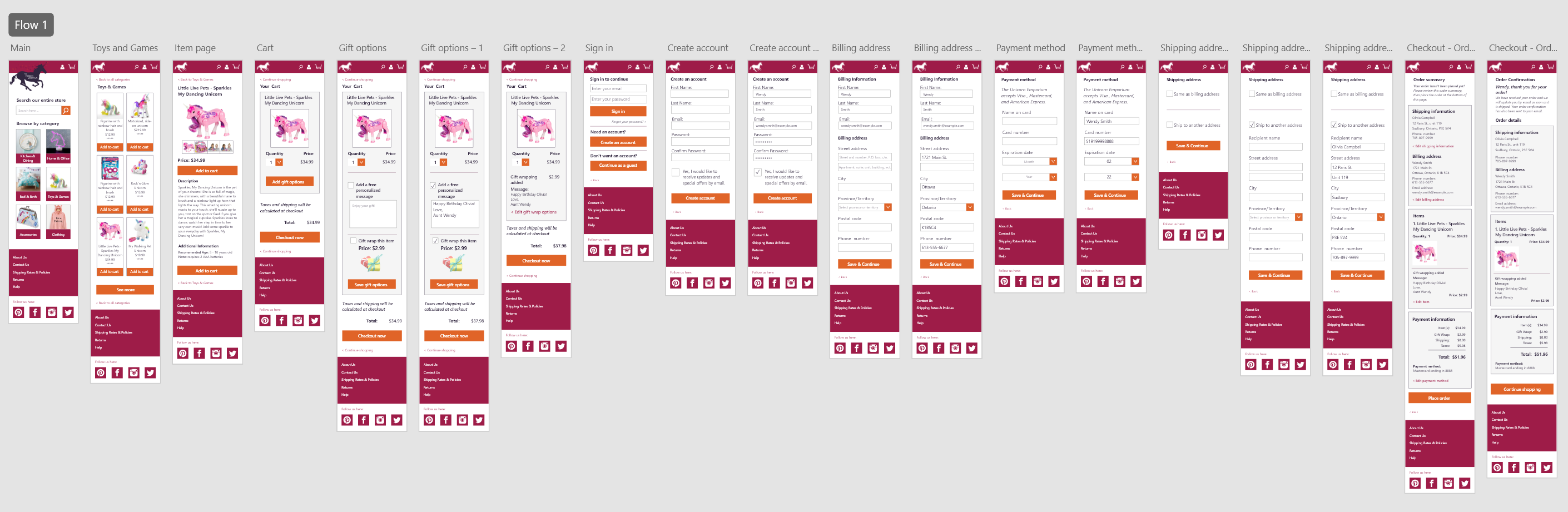
High-fidelity Prototype - Mobile Version
The final course assignment was to create a high-fidelity prototype for mobile devices. I once again used Adobe XD to develop the layout and interaction flow.
See it live on xd.adobe.com